

Casushi Casino Login, Registration and Verification Processes
New players from the United Kingdom need to register and complete the Casushi casino login to access dashboard of their profile. Once they sign up, they will need to complete age verification, pass the identity check, and unlock all the features we offer. These include using payment methods, participating in promotions, and playing real-money games. The UKGC licenses us with permit number 39358, meaning KYC and anti-money laundering practices are enforced with each user profile. We accept only players aged 18 years or older. In this guide, we cover all the basics regarding registration, login, and verification.
Benefits of Having a Personal Account with Casushi Casino
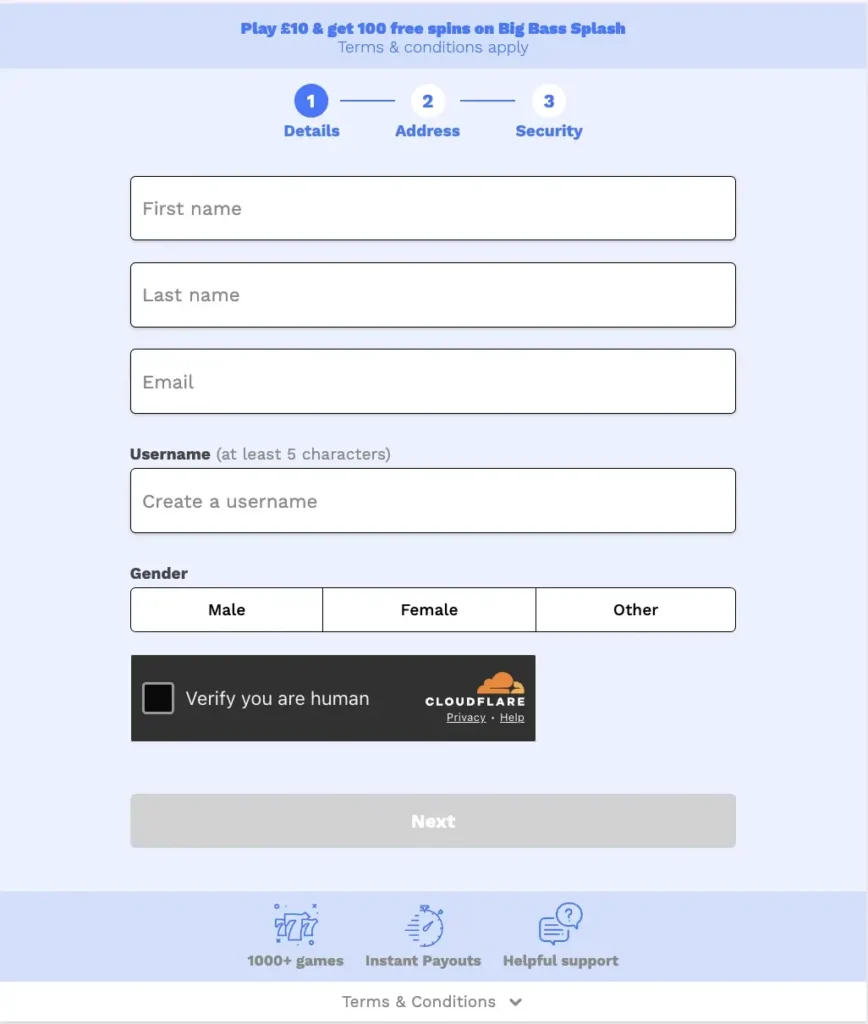
Having an account on our site not only allows you to play real-money games, use banking methods, and get faster support when needed, but also provides these benefits.
- Exclusive offers: Registered users can enjoy daily and weekly promotions. One-time deals via promo codes are also available.
- VIP program: UK gamblers earn loyalty points and progress through the VIP program. Higher levels get higher limits, personalised offers and luxury rewards.
- Enhanced security: To use security technologies such as 2FA, you need a profile on our casino. Additional security systems are also available to registered members.
- Full gambling history: All customers have access to their bet history, transactions to and from the casino, and claimed bonuses.
How to Register for a Casushi Account
The Casushi sign up process is available to all players who are aged 18 or older and live in the United Kingdom. Follow these steps to register on the platform and start playing.
- Start the process: Click the “Join now” button located in the upper right corner. It will launch the registration window.
- Enter details: Now you need to enter your full name, your chosen gender and email. Also, create the username you will be using on the site.
- Click next: The second step will load, where you have to enter your address. Here you can also read the terms and conditions.
- Enter number: Share the telephone number with us and request SMS verification. Once you receive the code, enter it in a designated area and confirm.
- Verify email: We will send you an activation link to your email address. Click on it, and you will be directed to the main page.
- Log in: Now you can log in to the profile, opt-in for receiving bonuses and complete age confirmation via KYC.
Players cannot have more than one account on our site. Creating multiple profiles is prohibited and will result in suspensions. If you have any issues with the registration, contact our support team.
Required Documents for UK Players
KYC is a regulatory requirement set by the UKGC, from which we are licensed. It involves uploading photos of specific documents and waiting for the data match to complete. We accept:
- Identity verification: For this purpose, we accept photos of the driver’s license, ID card or passport.
- Address verification: KYC offers a withdrawal unlock once the address is verified. Share a photo of a bank statement or utility bill showing your physical location clearly. The data is also used for anti-fraud purposes.
- Payment proof: A screenshot of the payment transaction you made to our casino.
Getting Verified at Casushi
The processing time for a KYC verification is typically a few hours, but in some cases it can last up to 24 hours. To load the upload portal and share JPG or PNG images with us, follow these steps.
- Load account settings: From the account settings, choose Security, then “Verification.”
- Upload a photo: Share a photo of the government ID card, your passport or a driver’s license.
- Verify address: Upload a photo of the utility bill or bank statement in a supported file format.
- Provide proof of payment: This refers to the screenshot of the transaction to our casino.
- Submit: Approve the upload and wait for the KYC to complete. Rejection reasons may include poor-quality photos, mismatched data, or obsolete documents.
Casushi Login Into Your Account
Once you have created a profile, use the Casushi casino login procedure to access the account. Follow these steps to initiate a secure session and start playing casino games.
- Click the login button: It is located in the upper-right corner.
- Enter details: Share either your username or email and the password you used during registration.
- Approve: Double-check the data and approve it. You will be directed to the user dashboard.
- Save data: You can save the login information and stay logged in for longer.
Casushi login is available via multiple devices. Keep in mind that you can access only one profile via smartphones, tablets and computers. The desktop access guide we covered below also applies to those using their smartphones. In addition, the table shows details about login methods.
| Method | Required Info | Security |
| PC | Email and password | 2FA and SSL encryption. |
| Mobile login | Email and password | 2FA and SSL encryption. |
| App | User credentials | Safe login protocol |
Login via Mobile App
The Casushi login is possible via smartphones and tablets. It uses the same steps regardless of which device you are using. Make sure to install the application first, as the process depends on your device’s operating system. Then, click the “log in” button and enter your credentials. We employ the following security systems.
- SSL: The encrypted connection is always used when training to access our casino.
- Data privacy: We comply with the UK laws, including the GDPR compliance and never share players’ data.
- 2FA: Members can enable 2-factor authentication to add another layer of security to the login process.
- Secure server: User data is saved on a secure server and encrypted at all times.
Personal Data Protection and Security
Your data during registration and login on the site is secure at all times and is never shared with third parties. Some of the methods we use for this purpose are:
- Secure recovery process: We ensure that only account owners can use the password reset feature.
- VPN restrictions: Only members from the UK can access the site.
- Account monitoring: If suspicious account activity is detected, a suspended account issue will be raised.
- 24/7 support: Players can contact customer support via one of the available methods for assistance.
Troubleshoot Login Issues
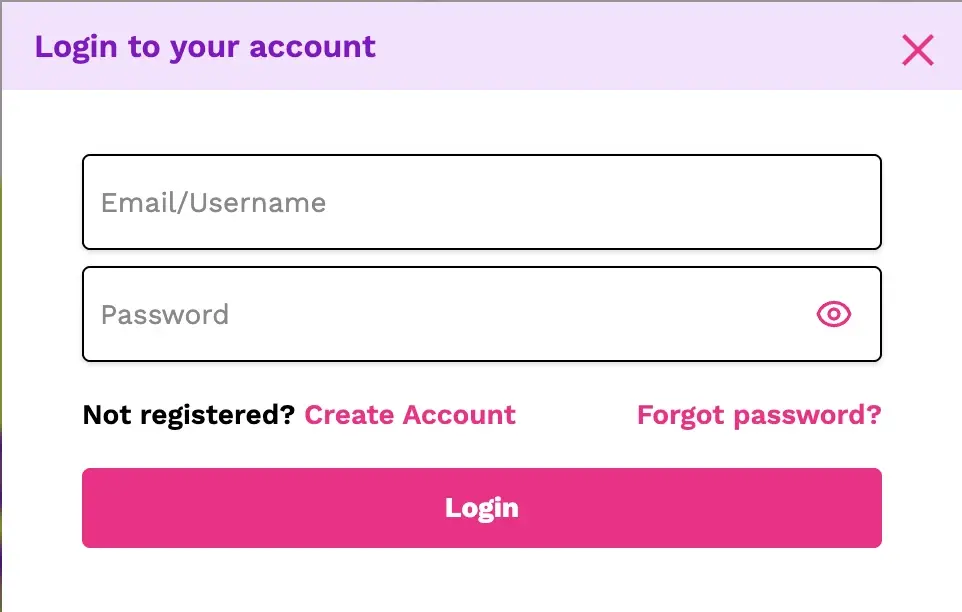
If the Casushi casino login is unavailable to you at any point or you encounter any issues, try the simple solutions.
- Suspended account: If you broke the terms of service, we reserve the right to suspend your account.
- Outside the UK: Players outside the United Kingdom cannot log in and withdraw balance.
- Wrong credentials: Make sure you have entered the right login credentials.
- You requested account termination: You asked to remove the account from our database. This is irreversible, but you have the right to ask for data retention or removal. Use responsible gambling tools if needed.
Recovering Forgotten Password or Email
If you can’t log in because you forgot the password, use the password reset feature. Try to log in and click the “forgotten password.” Enter the email and answer the security questions. We’ll send the link that can unlock the profile and reset your credentials. A verification re-check might be required again. The same thing applies due to the inactive status issue.
How to Delete Your Account at Casushi Casino
Gamblers can request account removal at any time. To initiate the process, follow these steps.
- Log in: Click the “log in” button to access your profile.
- Contact support: Use the live chat feature to contact the support agent.
- Explain the issue: Ask them to remove the account from the database.
- Wait for the completion: The process may take up to 24 hours.
- Check your email: You will receive a confirmation email informing you about account recovery.
In some cases, using a responsible gaming tool is a safer and more effective process. You can activate self-exclusion for 24 hours, 7 days, 1 month or indefinitely. The automated lock feature is also available.